

We found no traceable study showing that complete Schema.org markup makes AI shopping agents choose a product more often, so don’t plan around a multiplier. Mark up your products anyway, because the same facts feed Google’s merchant listings and the product feeds behind ChatGPT and Google’s AI checkout. Do the fields below in order, and keep every value identical to what the page and checkout show.
Contents
- What We Know and What We Don’t
- The Fields Worth Marking Up
- Attributes: The Part Rich Results Tests Won’t Catch
- Variants: One Page or Many
- Feeds and Protocols: A Separate Requirement
- Checkout: What an Agent Can’t Get Past
- How to Audit Your Current Structured Data
- Priority Implementation Order
- FAQ
What We Know and What We Don’t
You may see a claim that products with complete markup are 6.4 times more likely to be selected by AI agents. We couldn’t find a study behind it.
Three things are documented:
- Google says no special schema is required to appear in AI Overviews or AI Mode.
- Google’s merchant listing documentation defines which product properties are required and recommended for its shopping results.
- OpenAI’s commerce documentation says required feed fields ensure correct display of price and availability, and that recommended attributes such as rich media, reviews and performance signals “improve ranking, relevance, and user trust.”
The closest thing to a test doesn’t help the multiplier either. Ahrefs’ May 2026 study (vendor data) tracked 1,885 pages that added JSON-LD against about 4,000 control pages and found no significant citation gain on ChatGPT or AI Mode, and a 4.6% decline on AI Overviews. It pooled every schema type and didn’t analyze Product markup separately, and it measured citations rather than agents choosing products. So it neither proves nor rules out a benefit for shopping.
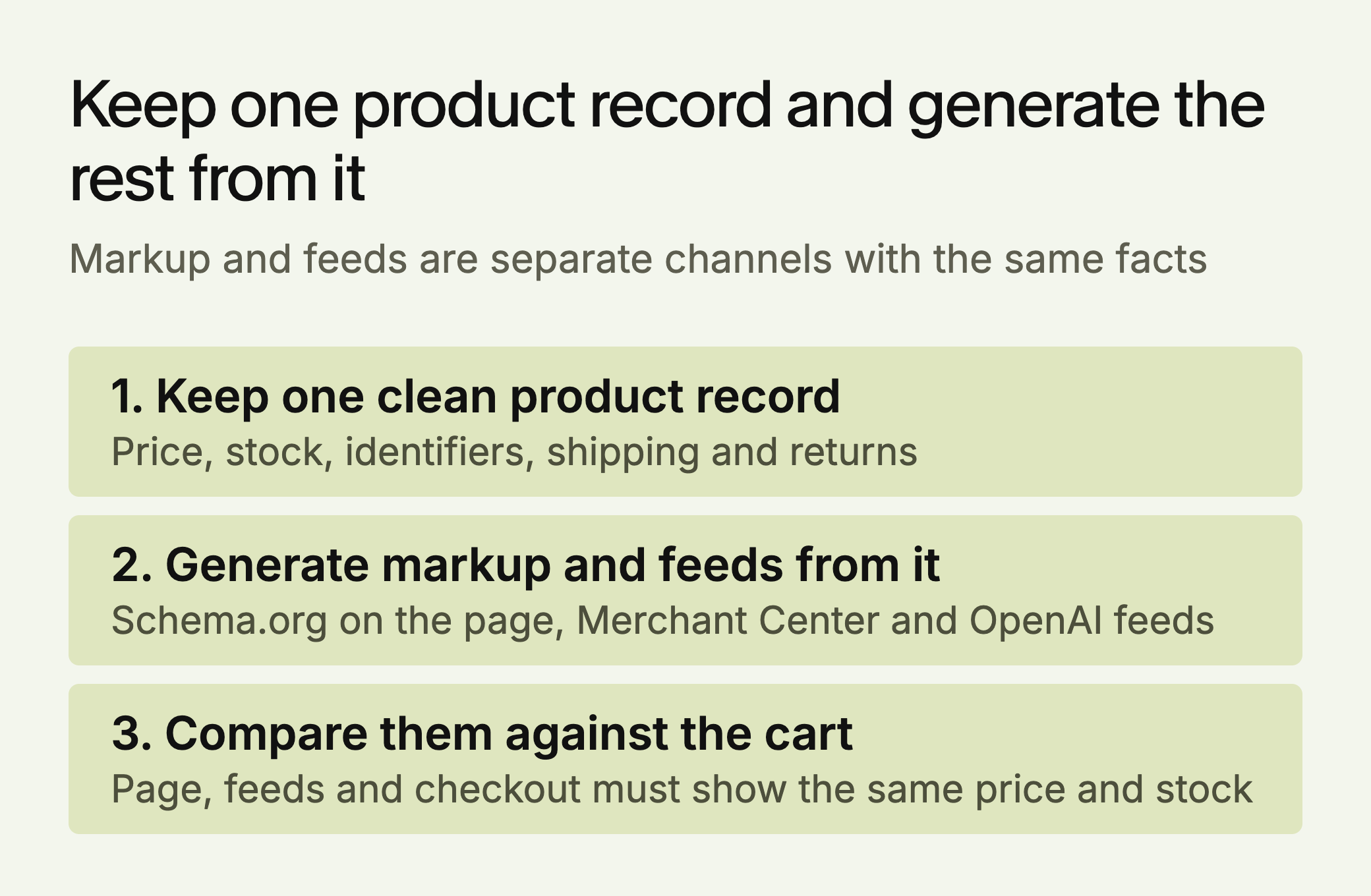
Page markup and product feeds are separate channels. Schema.org lives on your page. A Merchant Center or OpenAI feed is a file or API you submit. They carry much of the same information, so build one clean source of product data and generate both from it.
The Fields Worth Marking Up
This list follows Google’s documentation. Items marked required are required for merchant listings.
- name, image, offers (required): Use the specific product name, not a marketing line. Merchant listings need a single Offer. An AggregateOffer doesn’t qualify, because the merchant must be the seller.
- offers.price and offers.priceCurrency (required): Use the active price, which must be above zero. Login-gated or “call for quote” pricing gives any automated reader nothing to compare.
- offers.availability (recommended): Use Schema.org values such as InStock or OutOfStock, and keep them in sync with inventory.
- offers.shippingDetails (recommended): For Google’s shipping enhancement, include deliveryTime, shippingDestination and shippingRate.
- offers.hasMerchantReturnPolicy (recommended): Include applicableCountry and returnPolicyCategory. A finite window also needs merchantReturnDays.
- gtin and brand.name (recommended): These identify exactly which item you sell. Use the most specific GTIN that applies, in numeric form.
- aggregateRating and review (recommended): Use only real reviews that appear on the page.
- ProductGroup, hasVariant, variesBy: Google’s variant documentation uses these to link sizes and colors to a parent product. Each variant needs its own identifier, such as a sku or gtin.
Put it together and one product looks like this. The product and values are made up for illustration, and the structure follows Google’s example.
{
  "@context": "https://schema.org/",
  "@type": "Product",
  "name": "Larkfield 15.6-inch Laptop, 16GB RAM",
  "image": ["https://example.com/larkfield-1x1.jpg"],
  "sku": "LK-156-16",
  "gtin13": "0123456789012",
  "brand": { "@type": "Brand", "name": "Larkfield" },
  "offers": {
    "@type": "Offer",
    "url": "https://example.com/larkfield-156",
    "price": 749.00,
    "priceCurrency": "USD",
    "availability": "https://schema.org/InStock"
  }
}
Two details trip people up. A past date in priceValidUntil may stop the listing from showing, so leave it out unless your system keeps it current. And Google recommends one store-wide shipping and return policy in Organization markup, with offer-level markup only for exceptions. Where several sources describe those policies, Google’s order puts product-level Merchant Center feeds first, then account settings, then product markup, then Organization markup. So correcting the page won’t fix a wrong policy set in a feed.
Attributes: The Part Rich Results Tests Won’t Catch
Name and price are enough for a shopping result, but they don’t answer “a laptop under $800 with 16GB of RAM.” Specifications buried in a paragraph are likely harder for any system to match reliably than the same specs in labeled fields.
Schema.org’s additionalProperty holds attributes as name and value pairs. Google’s merchant listing page doesn’t list it, so don’t expect a rich results test to flag it when it’s missing, or a Google feature for adding it. We recommend it as low-cost, accurate labeling, without any proof of an AI uplift. Schema.org warns that applications usually look for a dedicated property first, so use color, size or material where one exists.
"additionalProperty": [
  {
    "@type": "PropertyValue",
    "name": "RAM",
    "value": "16GB"
  },
  {
    "@type": "PropertyValue",
    "name": "Storage",
    "value": "512GB SSD"
  }
]
Choose attributes by looking at the filters on your own category pages and your competitors’. Fashion stores need material, fit and size. Electronics stores need specs and compatibility. Use the same names and units on every product, or the values can’t be compared.
Variants: One Page or Many
Google’s markup depends on how your site handles variants. On a single-page setup, set url on the ProductGroup, and make each variant reachable through its own URL that preselects the right image, price and stock. On a multi-page setup, don’t set url on the group, and repeat the full ProductGroup on every page. In both, list what differs in variesBy. Google accepts color, size, suggestedAge, suggestedGender, material and pattern.
Feeds and Protocols: A Separate Requirement
Markup alone doesn’t enroll you in agent checkout. The two main protocols work through feeds and integrations.
Agentic Commerce Protocol (ACP). Stripe and OpenAI launched it with Instant Checkout on September 29, 2025. In March 2026, an OpenAI spokesperson told Digital Commerce 360 that Instant Checkout was “moving to Apps” and that ACP would remain as infrastructure. OpenAI’s product feed onboarding is limited to approved partners and recommends a full snapshot at least daily. Its feed spec requires item_id, title, description, url, brand, seller_name, image_url, availability and price.
Universal Commerce Protocol (UCP). Google announced it on January 11, 2026, co-developed with Shopify, Etsy, Wayfair, Target and Walmart. Google’s UCP documentation says existing Merchant Center feeds can be used for discovery. In Google’s Merchant Center guide, access to checkout runs through an interest form, only listings with the native_commerce checkout-eligibility attribute show the Buy now button, and checkout covers products sold in the United States.
Neither protocol is a substitute for accurate product data. Both depend on it. The same fact often needs a different format in each place, so map them once. The pairing below is ours, based on each document.
| Fact | Schema.org on the page | OpenAI feed |
|---|---|---|
| Price | price: 749.00, priceCurrency: USD | price: 749.00 USD |
| Stock | availability: InStock | availability: in_stock |
| Name | name | title, aim for 150 characters or fewer |
| Image | image | image_url |
| Identifier | sku or gtin13 | item_id, plus optional gtin |
| Variant parent | inProductGroupWithID | group_id |
Checkout: What an Agent Can’t Get Past
If you want an agent working in a browser to complete a purchase on your site, test the path. No public data we trust says how much each barrier costs, but these are plain blockers:
- CAPTCHA on product pages or at checkout
- Mandatory account creation with no guest checkout
- Phone verification during purchase
- Shipping or tax that appears only after several interface steps
- Prices that differ between the listing, the feed and the cart
Keep your fraud controls. If a barrier is protecting you from real abuse, the answer may be a protocol integration instead of removing it.
How to Audit Your Current Structured Data
Run your top 10 product pages through Google’s Rich Results Test, then read the JSON-LD yourself. For each page, check:
- Does the marked-up price match the price in the cart?
- Is availability accurate right now?
- Are shipping time, shipping cost and the return policy present?
- Do attributes cover what buyers use to filter this category?
- Are sizes and colors structured as variants, not only listed in text?
- Do the rating and review count match what the page displays?
To tell the work landed, deploy on a few pages first and use URL Inspection in Search Console to confirm Google can see them. Re-crawling can take several days. After you roll out, watch the rich result status report in Search Console for valid items to rise and invalid ones to stay flat, and check again after every template change.
Priority Implementation Order
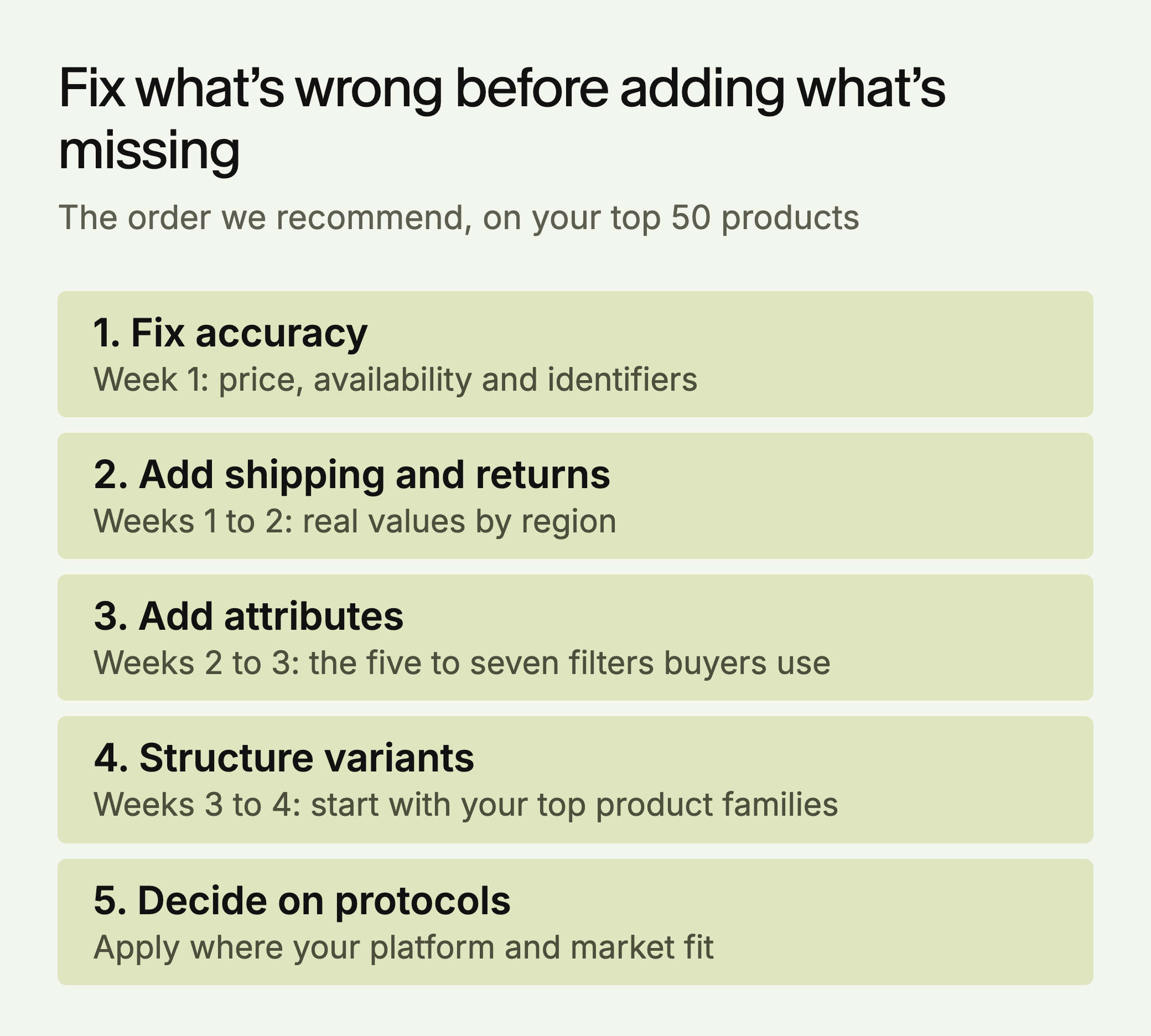
Week 1: Fix accuracy. Correct any mismatch in price, availability or identifiers on your top 50 products. We’d treat a wrong value as worse than a missing one.
Week 1 to 2: Add shipping and returns. Implement shippingDetails and hasMerchantReturnPolicy with real values by region.
Week 2 to 3: Add attributes. Pick the five to seven filters buyers use in your category and add them to the same 50 products.
Week 3 to 4: Structure variants. Start with your highest-revenue product families.
After that: Decide on protocols. Apply for the programs that match your platform and market, and run an unassisted test of your checkout.
Catalog size changes the method. A store with a few hundred products can fix records by hand in its platform. A store with tens of thousands should fix the data pipeline and spot-check samples, because hand edits will be overwritten by the next import.
LLMagnet measures AI visibility across seven engines and has an agent that prepares fixes for you to approve. Its free audit shows how AI engines describe your brand today.


 Ask Perplexity


 Ask Gemini

 Ask Claude


 30-day free trial · no credit card