

Platform
Exactly what it can
touch, and when
Connect your store, CMS, search data, ad account and docs. Each connection gives the agent more to read and more it can prepare, and each one carries a stated rule for what it reads, what it writes, and what happens the moment you approve something.
Connectorshardly.com
Connect the tools and data sources the agent works with for this website. Kept separate for each website.
Connected
 Webflowhardly.com
 Googlemarketing@hardly.com
 WordPressblog.hardly.com
 Slack#marketing
 ChatGPT AdsHardly · ads account
Available
 Shopify
- Google Sheets
- Google Docs
- Google Drive
- Notion
- HubSpot
- FramerComing soon
WebflowConnected · hardly.com
What this connection can do
Reads pages and CMS
Writes staged changes
Publishes only what you approve
A whole-site publish asks you to type your domain on the approval card.
Disconnect
A connector does
two jobs here
Most tools connect to your systems to read them. These connections run in both directions: what comes in makes the agent better informed, and what goes out is the only reason it can fix anything instead of describing a fix.
Context in
The agent answers with your real data instead of a generic best practice.
- Search Console tells it which queries you already win
- HubSpot tells it who your customers actually are
- Drive and Notion tell it what you’ve already written
The ruleReads run inside the conversation.
Action out
The agent prepares a change inside the system of record, where the change counts.
- A staged Webflow page
- A WordPress draft
- A product description in Shopify
- A paused campaign in ChatGPT Ads
The ruleWrites never do. Every write becomes an approval card.
What a connector used to meanWhat it means here
A feed into a dashboardA place a prepared change can land
One OAuth scope, never mentioned againA stated read scope and a stated write behaviour
“Syncs with your CMS”Staged in Webflow · drafts in WordPress · live on approval in Shopify
Permissions in a help docPermissions on the marketing page, before you sign up
Eleven connectors,
grouped by what they’re for
Not alphabetically, by the job. Each card links to its row in the permission table. Connections are held per website: connecting Shopify on one site connects nothing on another.
Store & CMS
- Webflow
Read your pages and CMS, stage SEO fixes and drafts, and publish what you approve.
What happens on approval - Shopify
Read your products, collections and blog, and improve product SEO and descriptions you approve.
What happens on approval - WordPress
Save the pages and posts the agent writes as drafts.
What happens on approval
Search & analytics
- Google Search Console & Analytics
Real search queries and AI referral traffic for this website.
What happens on approval
Advertising
- ChatGPT Ads
Read your ChatGPT advertising performance, and manage campaigns you approve.
What happens on approval
Delivery
- Slack
Get the agent’s briefs and routine alerts in a channel.
What happens on approval
Docs & CRM, through Composio
Google Sheetsvia Composio
Export reports and prompt lists to a sheet, or read one you point to.
What happens on approvalGoogle Docsvia Composio
Save briefs and drafts as Docs, or read a doc you point to.
What happens on approvalGoogle Drivevia Composio
Find and read files in your Drive.
What happens on approvalNotionvia Composio
Read your Notion pages, and save plans and briefs there.
What happens on approvalHubSpotvia Composio
Read CRM and marketing context, and log follow-ups you approve.
What happens on approval
On the way
FramerComing soon
Publish landing pages to your Framer project.
Not connectable yet
What each connector reads, writes, and does when you approve
Read this before you connect anything. It is the same table our own engineers work from.
| Connector | What it reads | What it writes | What happens when you approve |
|---|---|---|---|
| WebflowStaged | ReadsPages and CMS collections on the one site you choose. Every page and collection id is checked against that site before anything is read or written. | WritesSEO fields, page content, CMS items, as staged changes. | When you approveContent writes are staged, not live. Only the publish tools push anything live, and they’re separate approvals. A whole-site publish requires you to type your domain on the card. |
| ShopifyGoes live on approval | ReadsProducts, collections and the blog. | WritesProduct SEO and descriptions, collection copy, articles. | When you approveProduct and collection writes go live on approval. There is no draft stage, and the approval card says so in those words. Articles are created hidden, so you publish them yourself. |
| WordPressDrafts only | ReadsThe posts and pages it needs in order to write into them. | WritesPages and posts. | When you approveSaved as drafts. Nothing is published. You publish in WordPress. |
| Google Search Console & AnalyticsRead-only | ReadsYour search queries and your AI referral traffic for this website. | WritesNothing. Read-only. | When you approveNothing to approve. This connector cannot write. |
| ChatGPT AdsSpends money · ×1.25 cap | ReadsYour campaigns and their performance. | WritesCampaign status and daily budget, and new campaigns. | When you approveFour write actions only: pause, activate, change a daily budget, create a campaign. Every one is an approval card, and the budget ones are capped: a single approved change can raise a daily budget by at most ×1.25, to a ceiling of 1,000 a day in your account’s currency and a floor of 1. Above the ceiling you set the budget in ChatGPT Ads Manager instead. A change that lands on a campaign someone else moved in the meantime is refused, not applied.ChatGPT Ads |
| SlackOne channel | ReadsNothing from your workspace. | WritesMessages to the channel you choose. | When you approveAgent briefs and routine alerts post to that channel. No other channel, no DMs. |
| Google Sheetsvia ComposioCard for every write | ReadsSheets you’ve authorised through Composio. | WritesCell and sheet changes. | When you approveRead-only tools run inside the conversation. Everything else becomes an approval card. |
| Google Docsvia ComposioCard for every write | ReadsDocs you’ve authorised through Composio. | WritesDocument content. | When you approveSame rule: reads run; writes wait for an approval card. |
| Google Drivevia ComposioRead-only | ReadsFile listings and file content you’ve authorised. | WritesNothing. The connector is described as read-only in the product. | When you approveNothing to approve for a read. Anything that would change a file follows the Composio rule below. |
| Notionvia ComposioCard for every write | ReadsPages and databases you’ve authorised. | WritesPlans and briefs saved into Notion. | When you approveSame rule: reads run; writes wait for an approval card. |
| HubSpotvia ComposioCard for every write | ReadsCRM and marketing context you’ve authorised. | WritesLogged follow-ups. | When you approveSame rule: reads run; writes wait for an approval card. |
Four rules behind the table
- 01Write tools never run inside the conversation.
The agent can read freely within the scope above. Anything that changes something produces an approval card, and only the approval endpoint executes it. There is no mode, setting or prompt that changes this.
- 02When Composio is unsure, it’s a write.
A Composio tool counts as read-only only if Composio marks it read-only, or if its name begins with a read verb after the toolkit prefix. Anything ambiguous is treated as a write and becomes a card.
- 03One Composio user per website, and Composio holds those tokens.
For the five long-tail connectors, the access token lives with Composio, not with us. For the six first-party connectors, we hold the connection ourselves, encrypted.
- 04Connections are per website.
The product says it on the panel: kept separate for each website. A connector authorised for one site grants nothing on another.
What each one changes
about the answer you get
The permission table says what a connector is allowed to do. This says why you’d bother.
Which page should we fix first?
Start with your highest-traffic pages. Add clear headings, a short FAQ and complete product schema, then check again in a few weeks.
General best practice
- Google Search Console & Analytics
Compare where Google already ranks you against where AI doesn’t mention you, and show the AI referral traffic that arrived
Instead of
Guessing which gaps matter - Webflow, WordPress, Shopify
Prepare the actual page, draft or product description, in the system that serves it
Instead of
Handing you a recommendation to implement yourself - ChatGPT Ads
Read what the spend bought and pause, re-budget or launch inside the same conversation
Instead of
Reporting a problem you then go and fix in another tab Google Drive, Docs, Notion
Write in your voice, from your existing briefs, positioning and style
Instead of
Writing in a generic voiceGoogle Sheets
Hand you the prompt list or report as a sheet your team already works in
Instead of
An export you reformatHubSpot
Use who your customers actually are when it decides which questions matter
Instead of
A persona it invented- Slack
Put the brief where the team already is
Instead of
A dashboard someone has to remember to open
The other direction
Or point your own AI app at LLMagnet
The eleven connectors let LLMagnet into your systems. MCP does the reverse: it lets Claude, ChatGPT or any MCP client read this website’s AI visibility data, with your own numbers behind the answer.
You paste one server URL into your AI app. The app opens LLMagnet, you sign in, and you choose which websites to share. You approve each app yourself, and you can disconnect any of them at any time. OAuth-protected. Read everything. Write nothing that publishes: the one tool that reaches your CMS saves a draft.
Pro and aboveHow the MCP server works
MCP server
https://app.llmagnet.com/mcpCopy
Paste this URL into your AI app. The app then opens LLMagnet, where you sign in and choose the websites to share.
Choose the websites to share with Claude
hardly.com
hardly.co.uk
CancelAllow
Found it. Now fix it.
This page shows you where the agent can act. It can only act where you connect it, and inside each connector, only the way the table above says. It prepares the change, the card states the surface and what approval will do, and nothing ships until you approve it.
- Update the comparison page/compare · CMS item
Webflow — staged, not published
DismissApprove
- New answer page/blog/squat-proof-leggings
WordPress — saved as a draft
DismissApprove
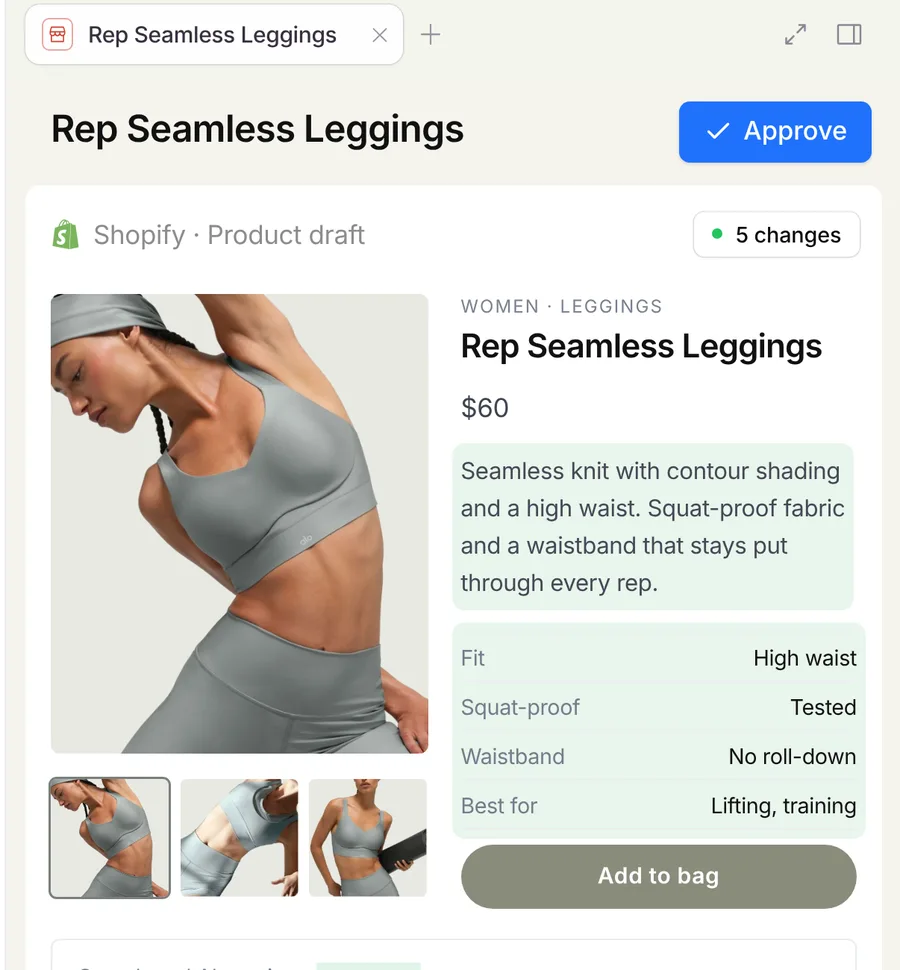
- Rewrite product descriptionRep Seamless Leggings
Shopify — this goes live when you approve
DismissApprove
- Raise daily budget 80 → 100Leggings · UK campaign
ChatGPT Ads — this changes what you spend
DismissApprove
What if I don’t want it writing anything at all?
Then don’t approve anything, and nothing is written. Search Console and Analytics are read-only by design. Everywhere else, the rule is the same: nothing reaches your site, your store or your ad account until you approve a specific card, and a viewer-role seat can’t approve one at all.
See how we measureNext · The agent
Where it acts, and how it behaves
This page says where it can act; that page says how it behaves and what it will never do.
Meet the agentEcommerce & Shopify
The Shopify specifics
Including why product writes go live on approval, and how the card tells you before you click.
See ecommerceMCP · read your own visibility data from Claude or ChatGPTChatGPT Ads · the ad connector in full, including the guardrails
Frequently asked questions
Want to see the product before you start? Take the product tour, or start a 30-day free trial.
Only in Webflow, only through a separate publish approval, and a whole-site publish requires you to type your domain on the card. In WordPress it saves drafts. In Shopify, product and collection changes go live when you approve them, with no draft stage, and the card tells you that before you click.

Connect one system
and see what it prepares.
You can connect read-only first. Write access is a separate decision, made per card.
Book a demo
 30-day free trial · no credit card